Scrolling through Instagram Reels is meant to be fun you laugh at a meme, like a cooking hack, or save a travel video for later. But then you realize: all of those likes are showing up in the new Friends Tab for everyone you follow to see.
For many users, that feels like a little too much exposure. As one frustrated user put it:
“I don’t need my classmates knowing every reel I laugh at. It’s basically a digital tattletale.”
Fortunately, Instagram anticipated the backlash and quietly added a control to limit what appears in that tab. According to Instagram’s Help Center, you can decide who—if anyone—sees your likes and comments in the Friends Tab.
Thankfully, Instagram built in a solution. With the Instagram friends liked reels turn off setting, you can decide who sees your likes and comments in the Friends Tab — or hide them completely.
Turning Off Friends Tab Activity
Imagine this: you double-tap a reel and smile, knowing it won’t instantly appear in your friends’ activity feed. That’s the peace of mind this privacy feature offers.
Here’s how to turn off with friends on Instagram:
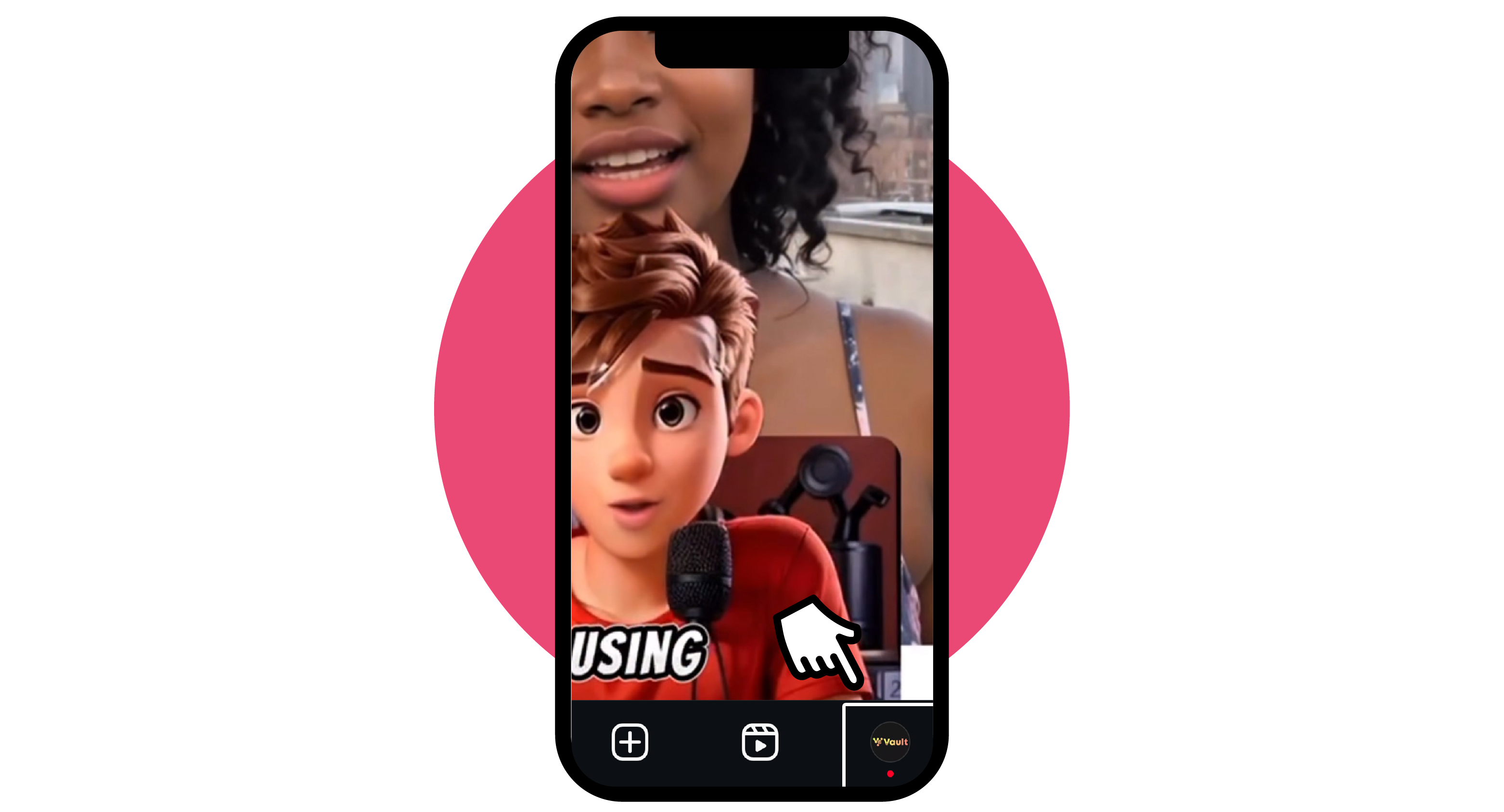
Step 1: Open Instagram and Go to Your Profile
Open the Instagram app and tap your profile icon in the bottom-right corner. This will take you to your profile page, where settings can be accessed.
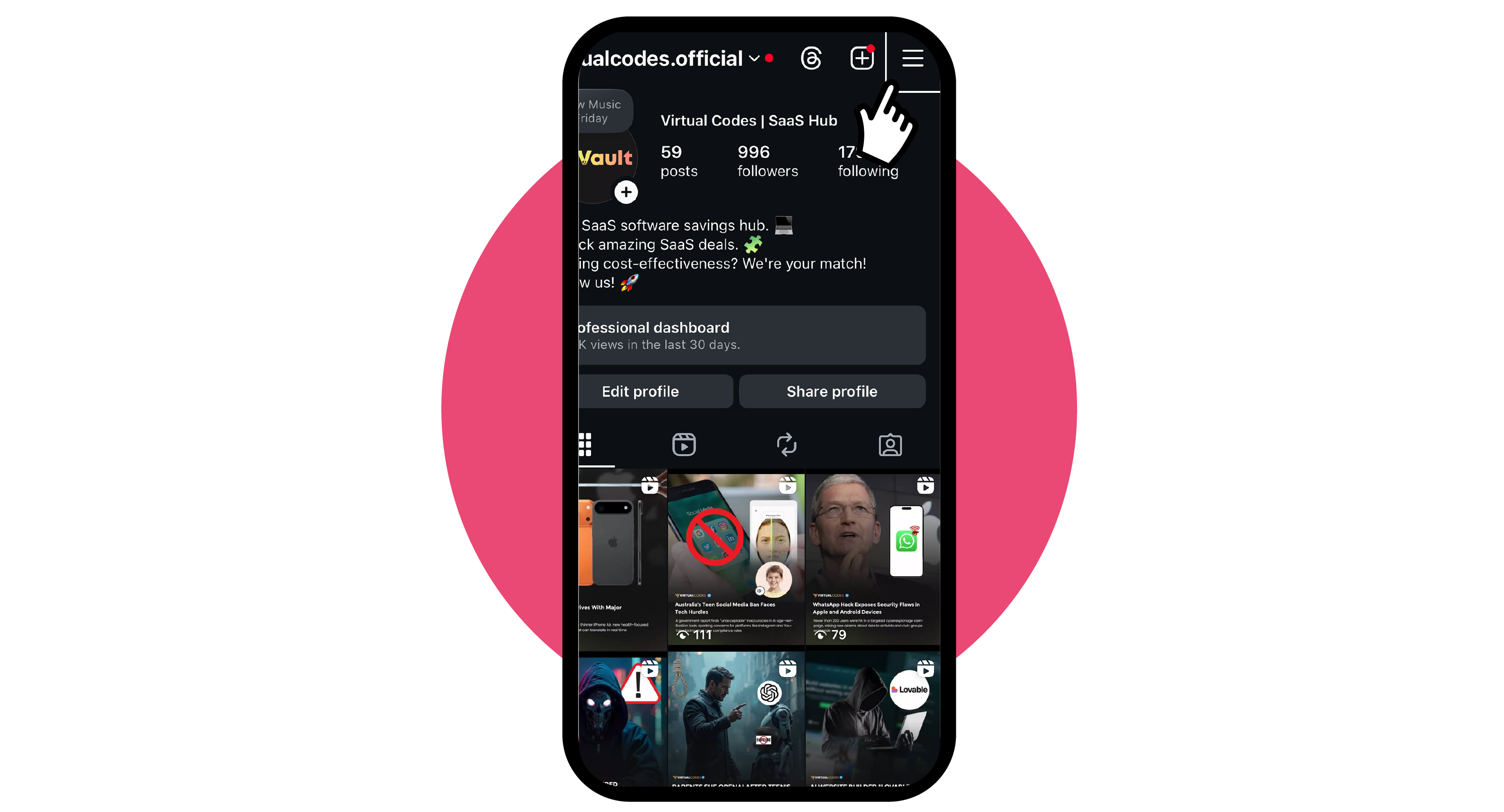
Step 2: Open the Menu and Go to Settings & Activity
Tap the ☰ (hamburger menu) in the top-right corner of your profile screen. Settings & activity will appear.
Step 3: Scroll To Who Can See Your Content
Inside Settings & activity, scroll down until you see Who can see your content. This section contains all visibility and privacy options.
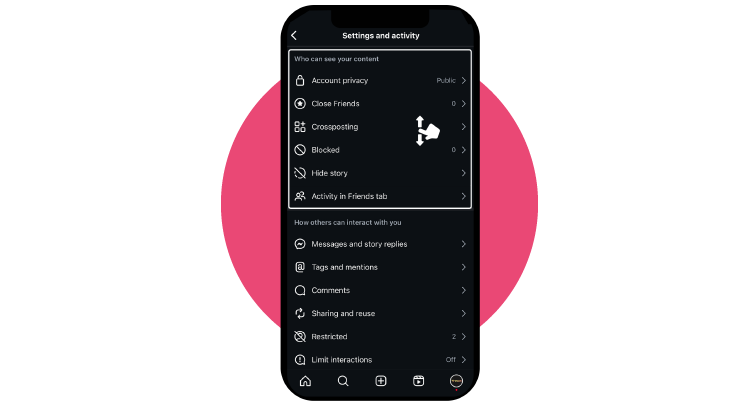
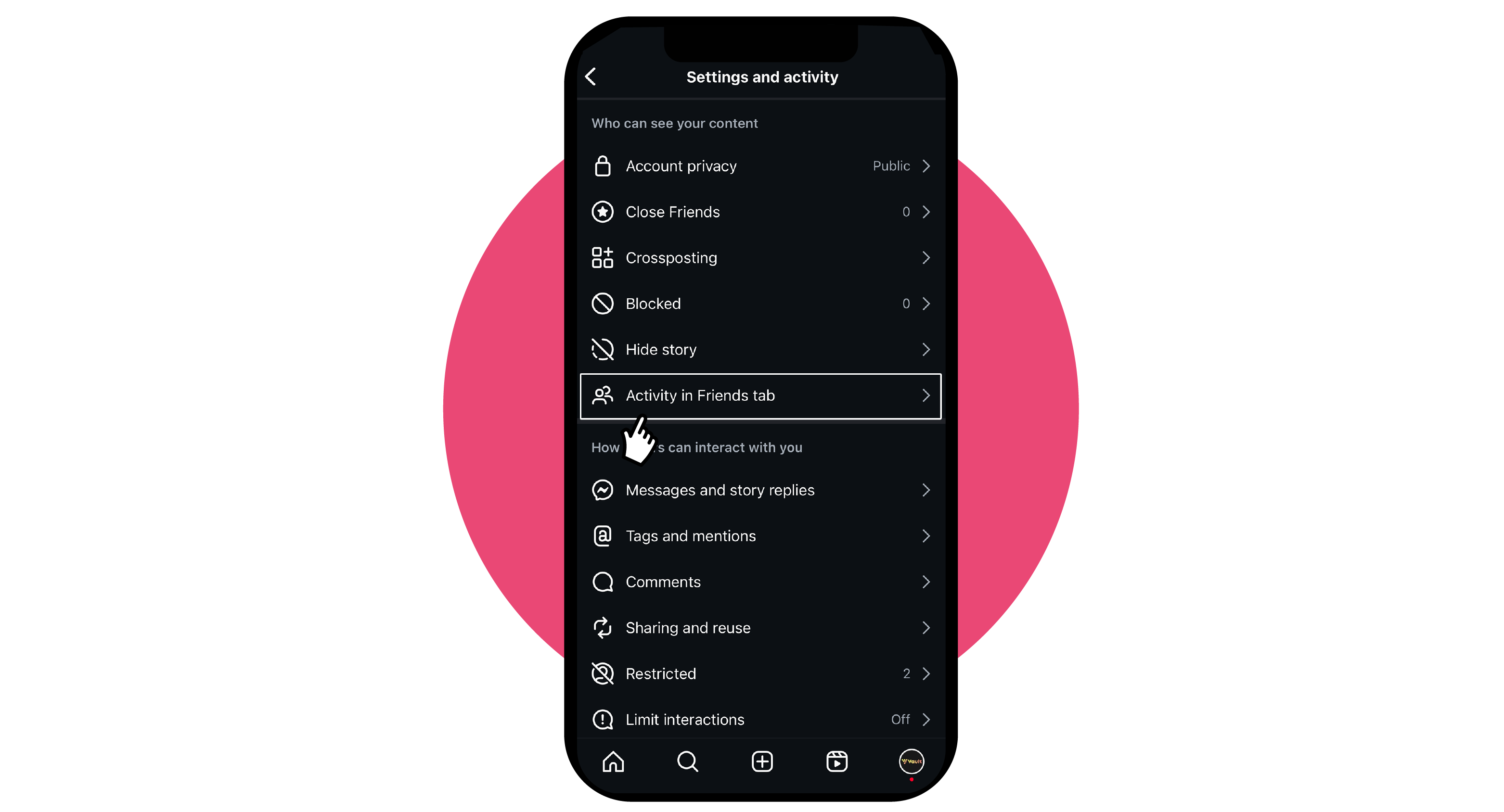
Step 4: Tap Activity in Friends Tab
Within Who can see your content, choose Activity in the Friends tab. This control determines whether your likes and comments appear in the Friends Tab.
Step 5: Choose No one to Hide Your Activity
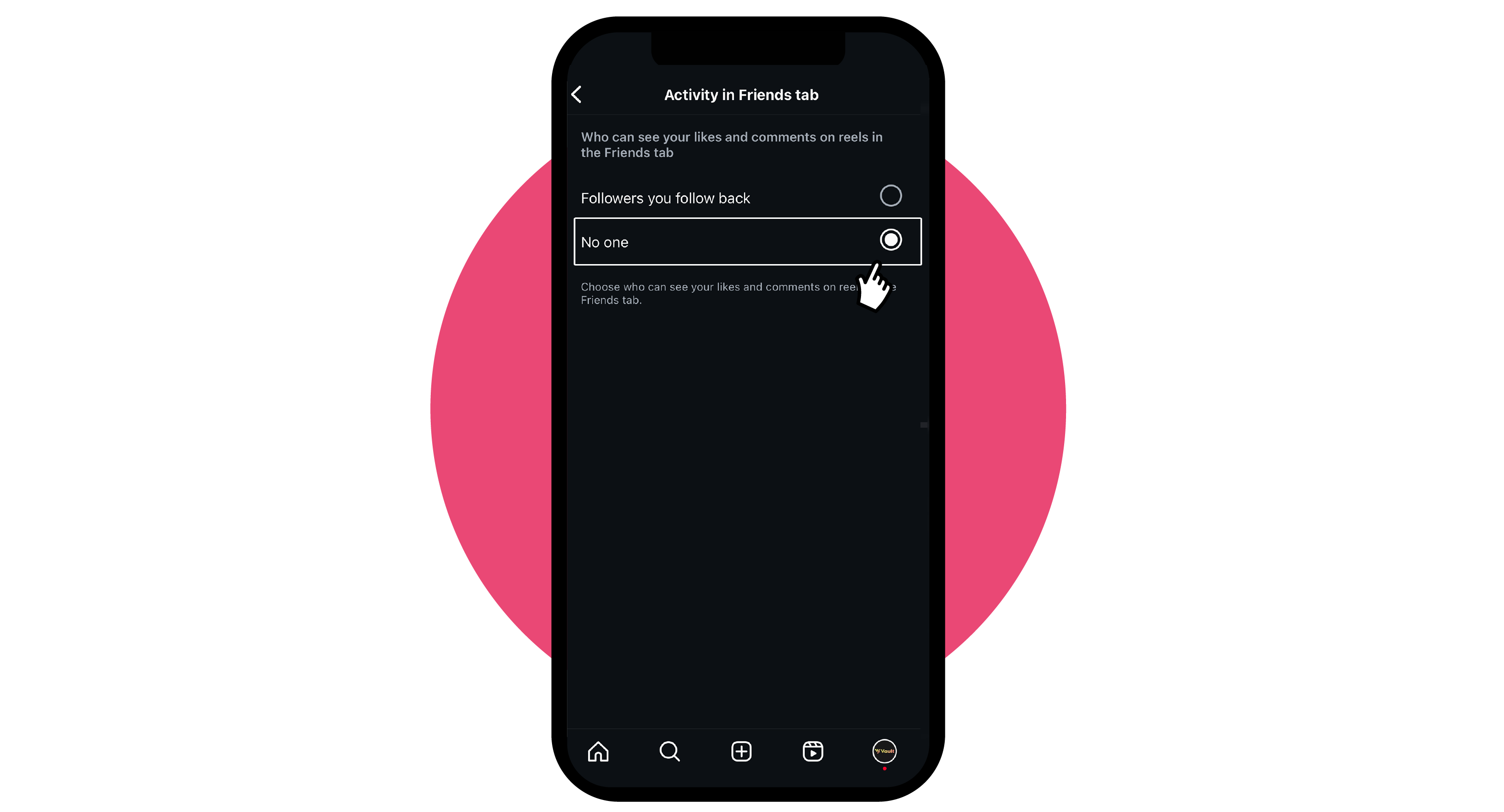
You’ll now see visibility options such as Followers you follow back and No one. Select No one. From this moment on, your liked reels and comments will no longer appear in your friends’ Friends Tab.
Step 6: Verify the Change
If you want to double-check, ask a friend to open their Friends Tab and confirm that your likes no longer appear. Sometimes, changes may take a few hours to sync across devices. If you don’t see this option at all, make sure your app is updated to the latest version.
Why the Instagram With Friends Tab Matters?
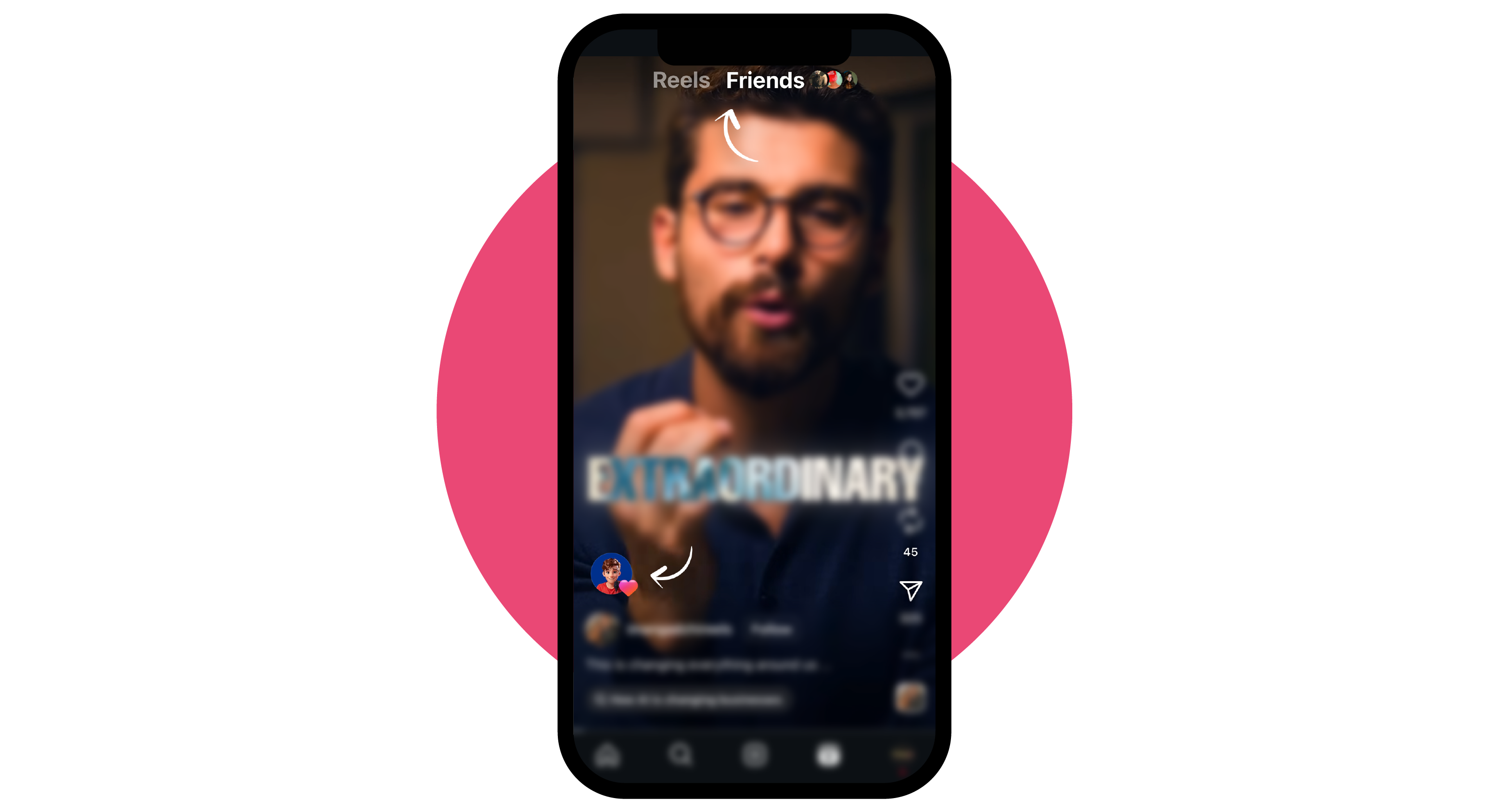
The Friends Tab was created to make Instagram feel more personal, showing you reels your friends are engaging with, rather than just algorithm picks. On paper, it’s social. In practice, it can feel like a privacy invasion.
But this raises concerns about privacy and social pressure. As Instagram explained in a recent update on its blog:
“We want people to feel comfortable expressing themselves. That includes offering tools that put them in control of how their activity shows up to others.”
That’s why the turn off with friends' Instagram settings is important. It helps you stop friends from seeing likes on Instagram, reduce social pressure, and enjoy the platform without second-guessing every double-tap.
FAQs About the Instagram Friends Tab
Q1: How do I turn off “With Friends” on Instagram?
Go to Settings → Settings & activity → Who can see your content → Activity in Friends tab, then select No one.
Q2: Can I remove the Friends Tab entirely?
No. Instagram doesn’t let you remove the feature. You can only turn off Friends Tab likes on Instagram so your activity won’t be shown.
Q3: Did Instagram remove friends’ liked reels?
Some users wonder “did Instagram remove reels liked by friends”. The Friends Tab still exists, but you now have the choice to hide your own activity.
Q4: How to stop seeing what your friends liked on Instagram?
Currently, you can’t fully remove it from your feed. However, you can mute activity bubbles or stick to the regular Reels feed if you’d prefer not to see it.
Q5: How do I hide all my activity from friends on Instagram?
Beyond turning off Friends Tab activity, you can:
-
Switch your account to Private.
-
Restrict or block specific followers.
-
Disable your activity status so others can’t see when you’re online.
The Instagram Friends Tab in Reels adds a social layer, but not everyone wants their activity on display. By using the instagram friends liked reels turn off option, enabling the instagram stop friends seeing likes setting, or applying the instagram with friends feature turn off, you stay in control.
At the end of the day, the turn off with friends instagram toggle ensures your Instagram experience stays yours. Scroll, like, and laugh at reels — without worrying about who’s watching.
Stay tuned to Virtual Codes Vault for latest information on social platforms
