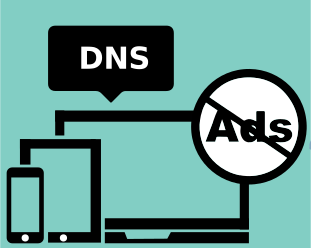
DNS is like the internet’s phonebook, translating website names into addresses your device can find. Ever since users learned about DNS, they have been taking greater advantage of it rather than browser extensions, for the obvious reason that it blocks ads on all devices.
Unlike some regular ad blockers, servers for Ad blocking DNS are not only for ad blocking but also for providing extra protection. With so many software options available, each with different features and aiming to be the best, it is easy to get confused. Then finding the one that best fits your needs becomes a challenge in itself.
Top DNS Ad Blocker for the UK
Here are the most popular and best ad blocker DNS options, listed along with their features, plans, and pricing. They all block ads via DNS and also offer extra safety measures that save you from various types of phishing attacks.
AdGuard DNS
AdGuard is the best DNS based ad blocking, started in 2009 as a company focused on ad-blocking and privacy tools. AdGuard first built browser extensions and apps to block ads on phones and computers, then expanded into different forms of protection.
AdGuard DNS is also the best ad-blocker extension that was introduced as a way to block ads at the DNS level, meaning before those ads even start loading. Officially launched in 2018 after testing, to give users a free, privacy-oriented way to block ads.
Features of AdGuard DNS
-
Blocks ads, trackers, and malicious domains at the DNS level.
-
Parental control filters, including safe search and blocking adult content.
-
Works on many devices (phones, tablets, PCs, routers).
-
Offers DNS over encrypted protocols for privacy.
-
Custom blocklists in advanced setups.
Plans and Pricing
-
Free Plan: Basic ad & tracker blocking for free, limited requests and devices.
-
Personal Plan (~£1.80/month): More DNS control, custom filters, parental controls, supports ~20 devices.
-
Team Plan (~£22/month): For teams, lots of requests, many devices, custom domains, and extra features.
-
Enterprise Plan: Custom plan for large businesses, price depends on needs.
NextDNS
NextDNS is a highly customizable internet firewall company known for its best-in-class ad-blocking DNS. Founded in May 2019 in Delaware by two engineers with experience building large internet systems, created to give people a more powerful alternative to basics.
Features of NextDNS
-
Blocks ads and trackers across apps and websites.
-
Protects your privacy with encrypted DNS and tracker blocking.
-
Includes parental controls and safe search.
-
Lets you make custom blocklists and allowlists.
-
Shows detailed logs and analytics of what’s being blocked.
Plans and Pricing
-
Free: £0/month: Blocks ads & trackers with up to 300,000 queries/month.
-
Pro: £1.79/month: Unlimited queries and devices, full features for personal use.
-
Business: £17.90/month: Unlimited queries/devices, email support, for up to 50 employees.
-
Education: £17.90/month: Unlimited queries/devices, email support, for up to 250 students.
Control D
Control D is a modern and the best DNS with ad blocking, filtering service that offers multiple filter profiles, including Family Friendly and Ads & Tracking. While there isn’t much public history, Control D’s focus has been clear: give users control over their DNS.
Features of Control D
-
Blocks ads, trackers, malware, and unsafe websites.
-
Let you choose different filter types, like family-friendly or social media blocking.
-
You can make custom blocklists and adjust settings.
-
Works with secure, encrypted DNS.
-
The premium option adds things like detailed analytics and filters for each device.
Plans and Pricing
Personal Use
-
Some Control: £1.60/month: Basic DNS filtering and analytics.
-
Full Control: £3.20/month: Adds traffic redirection and proxy features.
Business Use
-
Schools / Non-Profits: £0.40/device/month: Discounted full DNS filtering for schools or nonprofits.
-
MSP: £0.80/device/month: For managed service providers, full features per device.
-
SMB: £1.60/device/month: For small and medium businesses, full features per device.
Quad9
Quad9 is a free DNS server for ad blocking launched in 2017 by a team including the Global Cyber Alliance and IBM to help keep people safe online. In 2021, moved to Switzerland and is now run by a nonprofit organization focused on internet security. Quad9 is the best DNS for ad blocking that is designed to be fast, sending requests to the nearest server, so websites load quickly and safely.
Features of Quad9
-
Blocks access to malware, phishing, and malicious domains
-
Privacy-focused, does not log personal data
-
Global server network for faster DNS resolution
-
Supports DNSSEC for security verification
-
Supports encrypted DNS: DNS over TLS (DoT) & DNS over HTTPS (DoH)
-
Easy setup, no account or software needed
Plans and Pricing
Quad9 is the best free DNS ad blocker for everyone. Doesn’t require payment, sign-up, or account creation to use it. Supported by grants and partnerships, the nonprofit acquisition doesn’t sell data or show ads.
FAQs
How To Block Ads on Android With DNS?
You can block ads with DNS on Android by changing Wi-Fi DNS settings. Just pick a good ad-blocking DNS like AdGuard DNS or NextDNS, and the phone will block ads in apps and browsers.
Which DNS Service Is Best For Families or Children?
If keeping kids safe online is the main focus, use a DNS service with family filters, such as AdGuard Family Protection. It blocks ads, adult content, and unsafe websites so children can browse safely.
Can I Use Ad-Blocking DNS With Public Wi-Fi Networks?
Yes. Ad-blocking DNS can be used on public Wi-Fi. A setup might be needed on a phone or tablet each time, helping in blocking ads and trackers even when you’re on someone else’s network.
People often choose DNS ad blocking because it’s simple. Ads are blocked before they even load, and users don’t need to install extra apps or plugins; just change DNS settings, and done. Of course, even with the best options, it’s important to pick the one that fits the needs and has the features you actually want. SO, use DNS to block ads; it'll make all the difference.
These days, ad blocking is about more productive browsing, whether for entertainment or education. That’s why so many people in the UK rely on the best ad blockers. Furthermore, on different platforms, you can use free ad blockers too, and also the best adblockers for Safari, Edge, and Mac.
On top of that, many users combine DNS ad blockers with antivirus, AI tools, & Saas tools to stay protected from cyber attacks.
Stay tuned to Virtual Codes Vault for more tips and guides on best adblocking DNS.
