
If you have dug into getting an AdBlocker, then it is important to look at AdBlocker or AdBlocker Plus. They are two of the leading AdBlockers that will help you watch videos without any ads popping up. However, Adblock vs Adblock Plus has been a long-standing debate among users:
While Adblock offers an easy-to-use experience, Adblock Plus provides features like “Acceptable Ads” and more advanced controls.
Understanding these differences helps you choose the ad blocker that best fits your browsing habits, device performance needs, and privacy priorities.
Adblock and Adblock Plus Difference
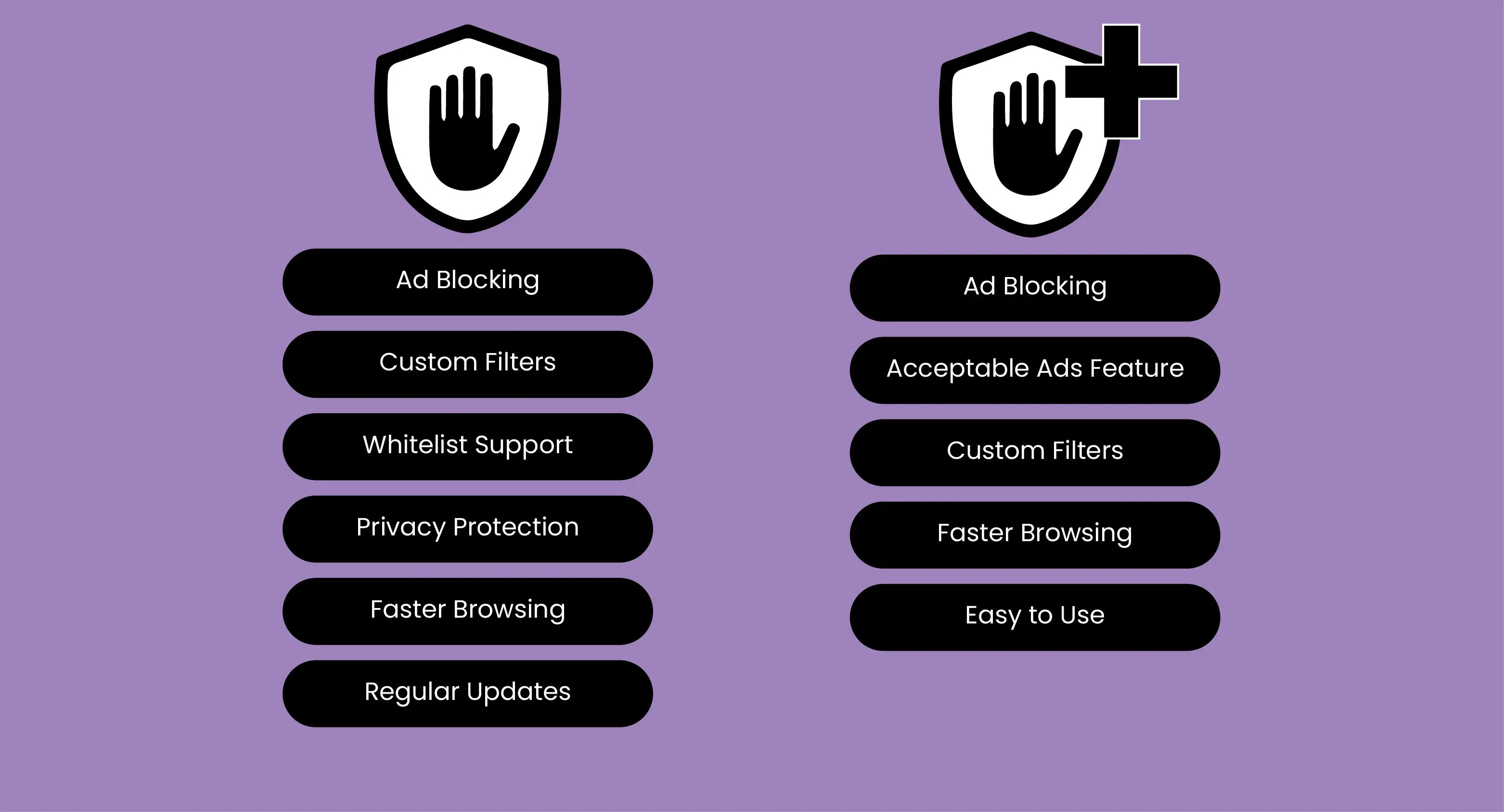
Here’s the thing: AdBlock and Adblock Plus solve the same problem, but they go about it in different ways. AdBlock focuses on strict blocking with simplicity, while AdBlock Plus adds flexibility and a philosophy about which ads should exist at all. Let’s break down how they really compare.
Overview of Adblock
The AdBlock is one of the best YouTube adblocker for safari as it has been widely used for years as a beginner-friendly ad blocker, making it a go-to choice for new Safari users. Adblock is a free adblocker, blocking a wide range of intrusive ads on websites and streaming platforms like YouTube.
Considering Ablock as a YouTube ad blocker, offering a range of features, including blocking pre-roll ads and ads on external sites that link to YouTube videos. AdBlock is a popular browser extension designed to block unwanted advertisements while you browse the internet.
Its primary goal is to enhance the online experience by removing intrusive ads, pop-ups, banners, and video commercials. By filtering out these interruptions, AdBlock not only speeds up page load time but also reduces distractions. It makes browsing smoother and more enjoyable.
The tool works by identifying and blocking ad scripts on websites, ensuring that only the content you want to see is displayed. Beyond blocking ads, AdBlock also protects users from potentially harmful or misleading ads that may contain malware or different types of phishing attempts.
Features of Adblock:
Here are some of the features of Adblock
-
Ad Blocking: Stops intrusive and annoying ads.
-
Custom Filters: Let you block content you choose.
-
Whitelist Support: Allows trusted sites to show ads.
-
Privacy Protection: Prevents trackers from collecting data.
-
Faster Browsing: Speeds up page loading by removing ads.
-
Regular Updates: Keeps blocking rules current and effective.
Supporting Platform:
Web Browsers: Google Chrome, Mozilla Firefox, Microsoft Edge, Safari, and Opera.
Mobile Devices: iOS and Android (through browser-specific apps or extensions).
Who is it best for:
-
Frequent Internet Users: Anyone who spends a lot of time online and wants a smoother browsing experience.
-
Content Consumers: People who use YouTube, news sites, or social media and want to avoid interruptions from ads.
-
Privacy-Conscious Users: Those who want to reduce tracking and maintain online privacy.
-
Students and Professionals: Users who want faster page loads and fewer distractions while working or studying.
Pros and Cons of Adblock
|
Pros |
Cons |
|---|---|
|
Blocks intrusive ads (banners, pop-ups, video ads) |
Some websites may not function properly without ads |
|
Speeds up page loading and reduces data usage |
Can prevent some content from displaying correctly |
|
Allows custom filters and whitelists |
Some ads may still bypass blocking (especially native ads) |
Adblock Plus
Adblock Plus is one of the best ad blockers for Safari because it blocks ads and prevents tracking, giving you a faster and more private browsing experience. It also makes browsing cleaner, safer, and smoother on Edge, which is why many users consider it a top ad blocker for Microsoft Edge.
Users can also use Adblock Plus on Android, as it’s the best Firefox Ad Blocker for Android, blocking ads, pop-ups, and video ads while preventing tracking to enhance privacy and speed up page loading.
Adblock Plus (ABP) is one of the best ad blockers and a widely used browser extension worldwide. It is the top free ad blocker for Mac with the features that improves safari browsing and protect your privacy online.
It helps users browse the internet without interruptions from annoying ads, pop-ups, banners, or autoplaying videos.
ABP focuses on providing a cleaner, faster, and safer browsing experience while also giving control over what content you want to see.
Unlike some ad blockers that block all ads indiscriminately, Adblock Plus uses an “acceptable ads” policy, which allows certain non-intrusive ads by default. This helps support websites that rely on ad revenue while still removing the most disruptive ads. Users can customize this behavior by blocking all ads or creating their own filter lists.
Features of Adblock Plus
Here are some of the features of AdBlock Plus:
-
Ad Blocking: Removes unwanted and distracting ads.
-
Acceptable Ads Feature: Allows non-intrusive ads to support websites.
-
Custom Filters: Let you block specific content or ads.
-
Faster Browsing: Speeds up pages by removing ads.
-
Easy to Use: Simple setup and intuitive interface.
-
Regular Updates: Keeps ad-blocking effective and current.
Supporting Platforms:
Web Browsers: Google Chrome, Mozilla Firefox, Microsoft Edge, Safari, Opera, and Yandex.
Mobile Devices: Android and iOS (through browser extensions or standalone apps).
Other Platforms: Some versions are available for Windows and Mac as standalone applications or browser plugins.
Who is it best for:
-
Frequent Internet Users: Anyone who wants a smoother, ad-free browsing experience.
-
Privacy-Conscious Users: People concerned about trackers, malware, and online privacy.
-
Content Consumers: Users who spend a lot of time on YouTube, social media, or news websites.
-
Supportive Users: Those who want to block intrusive ads but still support websites through acceptable ads.
-
Students and Professionals: Users who need faster page loads and distraction-free browsing for work or study.
Pros and Cons Of Adblock Plus
|
Pros |
Cons |
|---|---|
|
Blocks most ads, pop-ups, and video ads |
Some websites may not work properly without ads |
|
Allows “acceptable ads” to support websites |
Default acceptable ads may still show if not disabled |
|
Custom filters and whitelists |
Occasional manual adjustments needed |
Adblock Vs Adblock Plus: A Clear Comparison
|
Featutes |
Adblock |
Adblock Plus |
|---|---|---|
|
Rating |
10/10 |
10/10 |
|
Price |
£3–£4 per month or £30–£35 per year |
(£3–£4 per month or £30–£35 per year) |
|
Free version |
Limited Functinality |
Fully Functionality |
|
Youtube Ads |
Yes, (except shorts) |
Can be a hit or miss |
|
Performance |
Lightweight, minimal impact on the browser |
Slightly heavier due to extra features |
|
Browser Support |
Chrome, Firefox, Edge, Safari |
Chrome, Firefox, Edge, Opera, Safari |
|
Ease of support |
Premium, live chat |
Self-service, limited |
AdBlock vs Adblock Plus Real-Word Comparison
|
Category |
AdBlock |
Adblock Plus |
|---|---|---|
|
News |
Blocks most ads and popups |
Some ads still show |
|
Youtube |
Blocks pre/mid-rolls; Shorts partly show |
Struggles with pre-rolls and Shorts |
|
Social media |
Blocks promoted posts; Twitch banners partly blocked |
Reddit/X blocked; Twitch banners remain |
|
Shopping |
Blocks popups, modals, cart reminders |
Many banners and ads remain |
AdBlock and AdBlock Plus Difference: Privacy & Security
|
Category |
AdBlock |
AdBlock Plus |
|---|---|---|
|
Trackers & Scripts |
Blocks trackers, analytics, and social widgets by default |
EasyPrivacy filters are available but off by default |
|
Malware & Phishing Attacks |
Blocks malicious ads, phishing, scams with TotalAV tools |
No built-in protection; filters need manual setup |
|
Transparency & Data |
Closed source; claims no data sharing without consent |
Open source; code auditable, no data sold |
FAQs
Is There a Conflict Between Chrome Adblock and Adblock Plus?
No, there’s no real conflict between Chrome Adblock and Adblock Plus. They’re two different extensions, but using both at the same time doesn’t make sense. It can slow your browser down and won’t give you extra benefits.
Do Adblock and Adblock Plus Extensions Protect My Privacy Online?
Yes, they block ads and trackers, reducing data collection, but don’t make you fully anonymous online.
Can I Use Adblock and Adblock Plus Together?
It’s not recommended; they may interfere with each other’s performance.
Both Adblock and Adblock Plus are effective tools for blocking ads, speeding up browsing, and improving online privacy. These ad blockers come with the VPN to protect your privacy, making it easy for you to trust Adblocker with VPN as a dual-layer of protection.
However, after a clear comparison between Adblock vs Adblock Plus, it is recommended that Adblock is better for users wanting a simple interface. Whereas Adblock Plus is best for users wanting to block ads, speed up browsing, and improve online privacy. Beyond any doubt, adblock plus as one of the best ad blockers chrome extesion for users with its range of features, including customization and the Acceptable Ads feature, for enhanced security.
Stay tuned to Virtual Codes Vault for more updates about Adblock vs Adblock Plus.
